
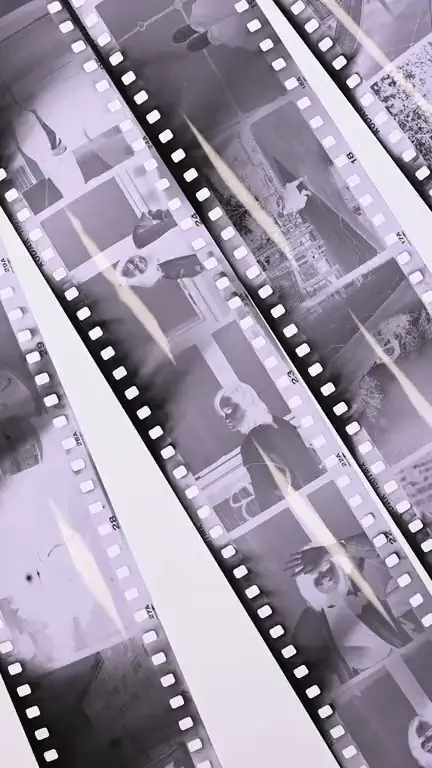
Film grain · 9:16
Vintage film grain loop template
The vintage film grain loop template adds moving grain, a drifting light leak and a faint flicker to your image, so a still photo plays like a few seconds of old film. It opens the generator with the Film grain style and this instruction ready; you frame your image and generate the loop.
Prompt
Fine, organic 16mm-style grain moves across the whole frame. A warm orange light leak drifts in from one edge and fades out. Add a faint, uneven exposure flicker and a very slight frame wobble. Nothing in the picture itself moves; no scratches over faces or lettering.
Prompts are written in English because the model follows English instructions most reliably.
This look is strongest on photographs: black-and-white portraits, band photos taken on a film camera, faded snapshots, a scanned contact sheet, or a still that already has some softness and grain. On these images the added grain feels like it belongs to the original, and the warm leak reads like light getting into an old camera. Sharp, glossy digital renders can work too, but pairing a clean render with dusty film is more of a deliberate style choice.
Unlike most templates, nothing in the scene is meant to move. People, objects and the background stay exactly where they are; the life comes from the surface. Grain shimmers across every frame, a light leak slides in from one edge and fades, brightness wavers a little the way projected film does, and the frame shifts by a hair. Because the picture itself holds still, this is one of the safest choices for covers with a lot of lettering.
Be realistic about grain at this resolution. The output is 720p and Spotify re-encodes uploads, so very fine grain can soften into noise or partly disappear on a phone. The look imitates film; it is not a film-stock emulation with its own color grade, and your original colors are kept rather than faded. If you want a texture that stays clearly visible, ask for coarser grain.
Best for
- Folk, Americana and singer-songwriter releases
- Soul, jazz and catalog reissues
- Indie rock shot on film
- Black-and-white portrait covers
- Nostalgic songs about memory
Tips
- Swap “fine, organic 16mm-style grain” for “coarse, clearly visible grain” if you want the texture to survive compression on small screens.
- Match the light leak to the cover: write “a pale blue light leak” for cold black-and-white photos and keep orange for warm ones.
- Try both framing options in the free preview. A single portrait usually fills 9:16 best with Fill and crop, while a group photo needs Fit + blurred edges to keep everyone in.
- Any length works here, because no motion needs time to finish; shorter loops simply bring the light leak back more often.
- Delete “a very slight frame wobble” if your cover has a thin border or fine lines, since a moving frame makes straight edges shimmer.
Uses 1 credit per loop, 720p MP4, no audio
Every upload and result is checked for unsafe content. Real people are animated only with their permission, and nobody is made to talk or sing.