
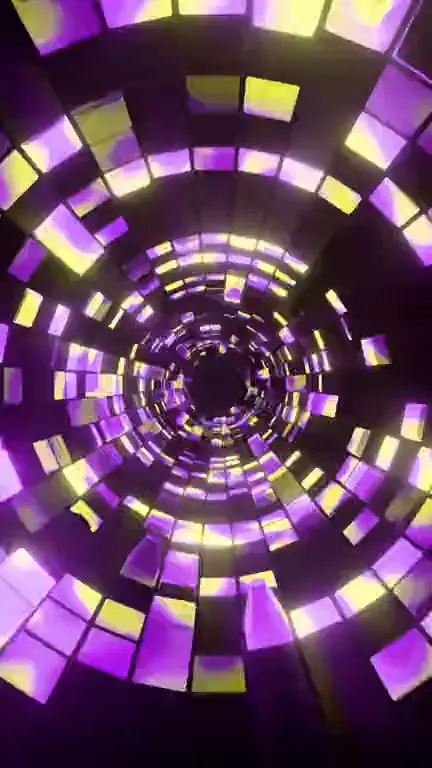
Neon pulse · 9:16
Neon pulse loop template
The neon pulse loop template makes the lights already in your artwork swell and dim in a steady rhythm, turning a still cover into a glowing loop. Open it in the generator with the Neon pulse style set, adjust the framing, then generate.
Prompt
Neon tubes, signs and bright edges swell and dim in a slow, steady rhythm, like a calm heartbeat, never strobing. One soft flare sweeps across the frame during the loop. Keep each color’s hue; only its glow breathes. Dark areas stay dark and the layout stays fixed.
Prompts are written in English because the model follows English instructions most reliably.
Neon pulse needs light to work with. The strongest results come from covers that already contain glowing elements against a dark background: a sign above a bar, a synthwave sunset grid, a tunnel of LED strips, a cyberpunk street, or lettering drawn as light tubes. The model brightens and dims what is already bright, so a high-contrast image gives it clear shapes to pulse.
The motion is a breathing glow rather than objects moving. Tubes swell and fade at a calm, even tempo, colors bloom outward a little at each peak, and one soft flare crosses the frame during the loop. This template deliberately asks for a slow rhythm and no strobing, because Spotify’s Canvas guidelines advise against strong flashing, and a gentle pulse is also easier to watch on repeat for a whole song.
Know what it can’t do. The pulse is not locked to your song’s tempo: the generator never hears your audio, so the rhythm will drift against the beat. Pastel daylight images with no light sources give the model little to light up, and the effect can end up as a faint shimmer. Neon lettering in the artwork is told to stay legible, but glowing type can still bloom at the peaks, so make sure your title stays readable.
Best for
- Synthwave, retrowave and outrun
- Club, techno and electronic singles
- Cyberpunk and night-city artwork
- Covers with neon lettering
- Hyperpop and dark pop
Tips
- Raise the contrast before you upload. A darker background around the lights makes each pulse easier to see after Spotify compresses the video.
- For a livelier feel, replace “like a calm heartbeat” with “a quicker, energetic pulse”, but keep words like strobe or flash out of the instruction.
- If only one sign should pulse, name it: “only the pink sign on the left pulses; everything else holds a steady glow”.
- A 4 or 5 second loop repeats the pulse more often, which suits up-tempo tracks; slower songs look better at 7 seconds.
- Delete the flare sentence if your cover has fine neon lettering, so nothing sweeps across the title.
Uses 1 credit per loop, 720p MP4, no audio
Every upload and result is checked for unsafe content. Real people are animated only with their permission, and nobody is made to talk or sing.