
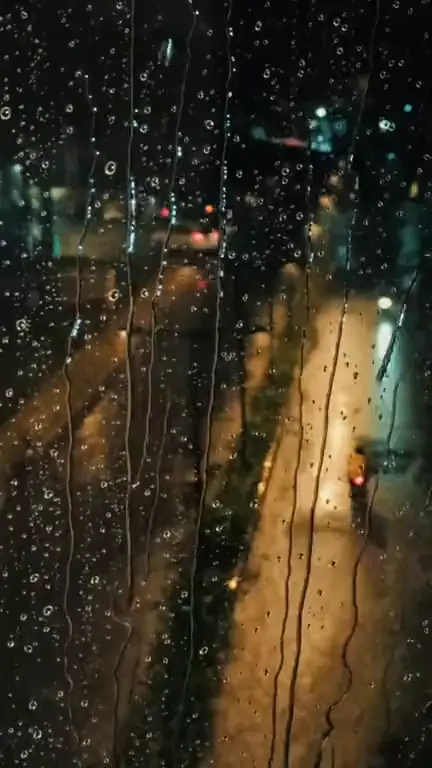
Lofi rain · 9:16
Rain on window loop template
The rain on window loop template turns a still image into a seamless loop where drops run down the glass in front of your scene while everything behind it stays put. Load it into the generator with the Lofi rain style already chosen, check the framing, and generate.
Prompt
Rain streaks run down the glass in the foreground at different speeds; a few larger drops merge and slide down. Lights behind the window stay soft and blurred and shimmer gently. The scene behind the glass stays still. Slow, calm, steady rain, no lightning.
Prompts are written in English because the model follows English instructions most reliably.
This template is made for artwork that already looks out through glass: a rain-streaked café window, the window of a night bus, a bedroom window over a city, or a close-up portrait shot through a pane. When the image has that layer of glass, the model has an obvious place to put the water, and the drops read as part of the photo rather than as an effect laid on top. Dark or blue-hour images work best, because the streaks catch light from street lamps, signs and headlights in the background.
Expect the rain to be the main motion. Streaks travel downward at different speeds, a few bigger drops gather and run, and the blurred lights behind them flicker softly the way they do through wet glass. The Lofi rain style also brings a little warm haze and lamp glow, so the scene feels cold outside and warm inside. Buildings, people and objects behind the window are told to stay still, which keeps the eye on the water.
There are limits. If your cover has no window at all, the model treats the whole frame as glass, so drops can slide across faces or lettering; read your title in the result before you upload it. Bright midday images rarely convince, because rain on glass needs contrast to show. And the rain is not timed to your song: it falls at one even pace for the whole loop.
Best for
- Late-night R&B and slow ballads
- Lofi and chillhop singles
- Breakup songs and rainy-day moods
- Night-city photos shot through glass
- Bedroom pop covers with a window in them
Tips
- Keep the glass in the frame. When you fit a square cover into 9:16, Fit + blurred edges keeps the whole window visible, while Fill and crop can cut the window frame away and leave only rain over the scene.
- Pick 6 or 7 seconds. A short loop gives the drops little time to run the length of the glass, and the streaks can look hurried.
- For a heavier storm, change “a few larger drops merge” to “heavy rain sheeting down the glass”. For a drizzle, write “a light drizzle with small beads of water”.
- If your title sits near the top, add “no drops over the lettering at the top” to the end of the instruction, and keep the whole text under 300 characters.
- Turn on the safe-area overlay: Spotify’s track title and controls cover the bottom of the Canvas, so the liveliest rain should sit in the middle of the frame.
Uses 1 credit per loop, 720p MP4, no audio
Every upload and result is checked for unsafe content. Real people are animated only with their permission, and nobody is made to talk or sing.