
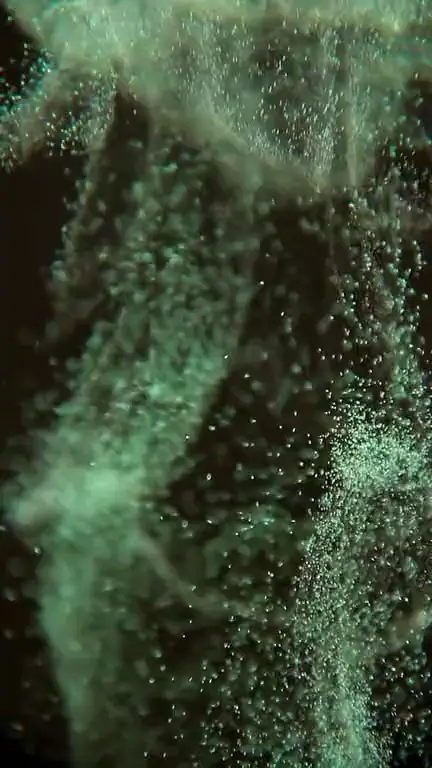
Liquid ripple · 9:16
Liquid ink loop template
The liquid ink loop template makes the color fields of your artwork bloom and curl like ink dropped in water, a slow, fluid motion behind a subject that keeps its shape. Open it in the generator with the Liquid ripple style selected, preview the framing, then generate.
Prompt
Colors bloom and curl like ink dropped in water, spreading in soft swirls and thin tendrils through the background. Slow and fluid, never choppy. The main subject and any lettering keep their exact shape and position; only the color fields flow and mix gently.
Prompts are written in English because the model follows English instructions most reliably.
Abstract covers are the natural fit: alcohol-ink and marbled-paper art, fluid acrylic pours, smoky gradients, watercolor washes, or a portrait set against a painted, colorful backdrop. These images are already made of soft color regions, so when the model lets them flow, nothing looks broken. A clear subject on top of the color, such as a silhouette, an object or a face, gives the motion something to move around.
Expect slow blooming and curling rather than waves. Color spreads outward from denser areas, thin tendrils stretch and twist, and neighboring colors mix at their edges, much like ink sinking through a glass of water. The Liquid ripple style also adds a gentle wave-like distortion, and this instruction aims it at the background so the main subject holds its outline. The pace stays slow enough that the loop feels hypnotic rather than busy, even when it repeats for a whole song.
Flowing color is the effect most likely to touch things you want kept intact. On busy photographs the distortion can bend straight lines, warp hands or make small details swim, so save it for images with large, calm color areas. Lettering is told to stay put, but text placed over the flowing area may wobble slightly. The colors come from your artwork: the template won’t introduce a new palette.
Best for
- Experimental electronic and IDM
- Neo-soul, R&B and jazz fusion
- Psychedelic and art-rock releases
- Abstract, fluid and marbled artwork
- Moody, introspective tracks
Tips
- If the subject warps, add “the face and body stay perfectly still”, or replace “through the background” with the one area that should flow, such as “only through the purple sky”.
- Ask for “slow, heavy swirls” for a dark, syrupy feel, or “quick, light tendrils” for a more restless track.
- Fill and crop works well for abstract art: there is no subject to lose, and the flowing color fills the whole 9:16 frame.
- Give the ink 6 or 7 seconds to spread; in a very short loop the flow can look more like a twitch.
- When you design the cover, keep text out of the area that will flow, or add the text later in a video editor once the loop is made.
Uses 1 credit per loop, 720p MP4, no audio
Every upload and result is checked for unsafe content. Real people are animated only with their permission, and nobody is made to talk or sing.